

Mailchimp
Free planEmail marketing with templates, automated flows and SMS add-ons, for small businesses and online shops.
Best for small businesses that want a familiar email tool with 300+ integrations and a free start for very small lists
Facts checked November 4, 2026 · First written by Mutuo Mbilla
The short answer
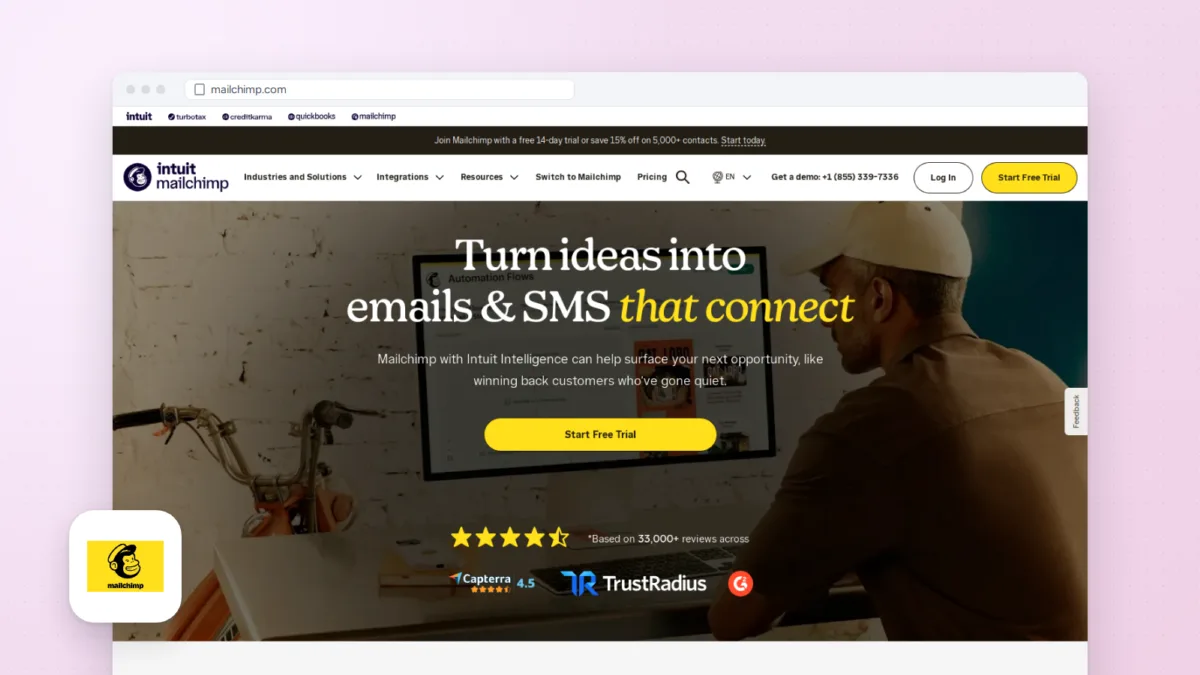
Mailchimp is the email tool most small businesses have heard of, and that shows in its 300+ integrations and the volume of help content around it. The free plan is now small, at 250 contacts and 500 emails a month with no scheduling or automated flows, so most people will pay. Paid plans start at $13 a month for 500 contacts on Essentials, but useful automation needs Standard ($20 at 500 contacts) and prices climb quickly as a list grows: Standard is $135 a month at 10,000 contacts.
Choose it if
- You have under 250 contacts and want to send a few campaigns a month for free
- You need your email tool to connect with one of Mailchimp's 300+ integrations without custom work
- You want 24/7 email and chat support from the first paid plan
- You want automated flows of up to 200 steps, AI writing help and custom reports on one mid-priced plan (Standard)
- You send rarely and would rather buy email credits than pay monthly (Pay As You Go)
Skip it if
- Your list will grow past 250 contacts and you want to stay free; Kit's free plan covers up to 10,000 subscribers
- You want multi-step automations on the cheapest paid plan, since Essentials caps flows at 4 steps
- You want to try a paid plan without entering payment details; the 14-day trial asks for them
- You have 10,000 or more contacts and are price-sensitive, because Mailchimp's prices climb quickly with list size
- You need phone support without paying for Premium, which starts at $350 a month
Main features
Email builder and templates
Drag-and-drop editing with pre-made templates on every plan. Standard and Premium also let you send your own coded templates; on Free and Essentials you can build them but must upgrade to send.
Automated flows
Set up welcome series, abandoned cart reminders and other automated emails. Essentials allows flows of up to 4 steps, while Standard and Premium allow up to 200 flow points.
Segmentation and predictive segments
Split your audience by tags, fields and activity. Standard and Premium add predictive segments that group contacts by their likelihood to buy.
Intuit Assist
Standard and Premium include Intuit's AI assistant for drafting email content, at no extra cost. Mailchimp labels it a beta in English for selected countries.
Sign-up and pop-up forms
Every plan, including Free, can add pop-up forms to your site to collect new contacts.
Reports
Every plan reports opens and clicks. Standard and Premium add custom reports.
Multivariate testing
Premium tests several versions of subject lines, content or send times at once to find the best combination.
SMS marketing
Paid plans can add text messages in supported countries, sent from the same account as your email.
Integrations
Connect more than 300 apps, including online store platforms, so purchases and sign-ups flow into your audience.
Mobile app
The free iOS and Android app lets you create and edit campaigns, read reports and add contacts on your phone.
Pricing
US dollar prices checked November 4, 2026, from the price data Mailchimp's pricing page loads. Prices rise with contacts: at 10,000 contacts Essentials is $110 a month and Standard $135. Going over your contact or send limit adds overage charges on paid plans; the Free plan pauses sending until the next month. Mailchimp was also advertising 15% off the first 12 months for lists over 10,000 contacts. SMS is an add-on for paid plans in selected countries.
Free
$0
250 contacts, 500 emails a month (250 a day), 1 user, 1 audience, pop-up forms, limited templates; no scheduling or automated flows, and Mailchimp branding stays on
Essentials
$13 / month for 500 contacts
5,000 emails a month (10 times your contacts), 3 users, 3 audiences, scheduling, templates, flows of up to 4 steps, branding removed, 24/7 email and chat support
Standard
$20 / month for 500 contacts
6,000 emails a month (12 times your contacts), 5 users, 5 audiences, flows of up to 200 points, Intuit Assist AI, predictive segments, custom reports, one onboarding session
Premium
$350 / month for 10,000 contacts
150,000 emails a month (15 times your contacts), unlimited users and audiences, multivariate testing, phone and priority support, four onboarding sessions with a dedicated specialist
Reviews
Write a reviewNo reviews yet. If you use Mailchimp, yours would be the first.
Alternatives to Mailchimp
| Product | Choose it instead if | Starts at |
|---|---|---|
| MailerLite | You want a free plan that allows 2,500 emails a month to 250 subscribers, five times Mailchimp's free send limit | Free |
| Kit | You are a creator selling to newsletter subscribers and want a free plan for up to 10,000 of them | Free |
| Brevo | You want to pay by emails sent rather than contacts stored | Free |
| Ontraport | You want the best for established small businesses that sell courses, coaching or services and want their CRM, automations, checkout and member area in one account | $99 a month |
| Keap | You want the best for established small businesses that want CRM, automation and payments from one vendor, with setup done for them | $320 a month billed mont... |
| Klaviyo | You run an online store and want email and SMS built around order data | Free |
Questions people ask
Is Mailchimp free?
Mailchimp has a free plan for up to 250 contacts and 500 emails a month, with a daily cap of 250. It includes one user, one audience and pop-up forms, but no scheduling or automated flows, and email support only for your first 30 days.
How much does Mailchimp cost?
As of November 4, 2026, Essentials starts at $13 a month and Standard at $20 a month for 500 contacts. Premium starts at $350 a month for 10,000 contacts. Prices go up with your contact count, so Standard costs $135 a month at 10,000 contacts.
Does Mailchimp have a free trial?
Yes. Essentials and Standard come with a 14-day free trial, and you need to enter valid payment details when you sign up. Premium trials are arranged through sales for qualifying new customers.
What happens if I go over my Mailchimp limits?
On paid plans, going over your contact or email send limit adds overage charges. On the Free plan, Mailchimp pauses sending until your next monthly cycle starts.
Which Mailchimp plan do I need for automations?
The Free plan has no automated flows. Essentials allows flows of up to 4 steps, which covers a short welcome series. For longer flows with branches, you need Standard or Premium, which allow up to 200 flow points.
Who owns Mailchimp?
Intuit, the company behind QuickBooks and TurboTax, bought Mailchimp in 2021. Ben Chestnut and Dan Kurzius started Mailchimp in Atlanta in 2001 as a side project of their web design agency, Rocket Science Group.
Sources we checked 9
- mailchimp.com/pricing/marketing for plan features, seats, audiences, automation limits, trial terms and payment details, support per plan, 300+ integrations, 15% promotion, onboarding checked November 4, 2026
- mailchimp.com/forms/pricing for US dollar prices per plan and contact tier, email sends per tier, seats (the price data the pricing page loads) checked November 4, 2026
- mailchimp.com/help/about-mailchimp-pricing-plans for Free plan limits, send limits as multiples of contacts, contact ranges per plan, Pay As You Go checked November 4, 2026
- mailchimp.com/about for founded 2001 in Atlanta, founders, Intuit acquisition in 2021 checked November 4, 2026
- mailchimp.com/contact for Atlanta mailing address checked November 4, 2026
- mailchimp.com/features/mailchimp-mobile for free iOS and Android app and what it does checked November 4, 2026
- mailerlite.com/pricing for MailerLite free plan limits (alternatives) checked November 4, 2026
- kit.com/pricing for Kit free plan for up to 10,000 subscribers (alternatives; also in Woofresh's Kit listing) checked November 4, 2026
- brevo.com/pricing for Brevo plans sized by emails per month, SMS and live chat (alternatives) checked November 4, 2026