
The best workforce management software of 2026
Deputy is the best workforce management software for most businesses with hourly staff: scheduling, time clocking and labor law rules from $5 per user a month billed yearly. Connecteam is the better fit for field and deskless teams and is free for up to 10 users, while Homebase suits a single restaurant or shop with its free plan for up to 10 employees. Support teams should look at Assembled, and large employers with complex pay rules at ADP WorkForce Suite.
Compared at a glance
| Product | Best for | Free plan | Starts at |
|---|---|---|---|
| Deputy | Hourly shift teams with labor law rules | No; free trial, length not stated | $5 per user a month billed yearly |
| Connecteam | Field and deskless teams | Yes, up to 10 users; 14-day trial | $29 a month billed yearly for the first 30 users |
| Homebase | Single-location restaurants and shops | Yes, 1 location and up to 10 employees | $24 per location a month billed yearly |
| When I Work | Low per-user price for shift scheduling | No; 14-day trial, no card | $2.50 per user a month |
| Zoho Shifts | Very small budgets and Zoho users | Yes, up to 25 users; 30-day trial | $1 per user a month, 10-user minimum |
| Assembled | Customer support teams | No; demo only | $25 per agent a month plus a platform fee |
| Calabrio Workforce Management (Verint) | Inbound contact centers | No | Quote only |
| ADP WorkForce Suite | Large employers with complex or global pay rules | No | Quote only |
Deputy: best for hourly shift teams that need labor law rules built in
Deputy covers the three jobs most managers mean by workforce management: building the schedule, recording hours worked, and keeping both within labor law. Every plan includes scheduling, timesheets, time clocking, shift swaps, leave management and basic labor law compliance, and it runs on the web, iOS and Android.
Core is the plan where Deputy pulls ahead of cheaper schedulers. It adds auto-scheduling, demand forecasting, wage and labor budgets, biometric time clocking and advanced labor law compliance. Deputy also lists fair workweek and break planning compliance among its features, which matters if you operate where predictive scheduling laws apply. Pro adds location hierarchies, SSO, a sandbox and 24/7 live chat.
Prices are per user a month. Lite is $5 billed yearly or $5.50 monthly, Core $6.50 or $7.25, and Pro $9 or $10. Monthly plans have a $30 minimum spend per invoice. Add-ons include HR tools at $2 per user and, in the US on yearly Core and Pro plans, payroll run by Paycor at $8 per user plus a $49 monthly base fee.
Choose it if you schedule hourly staff across shifts or sites and need the software to flag rosters that clash with break or predictive scheduling rules before you publish them.
Skip it if you have a handful of staff and one location; Homebase or Zoho Shifts will do the basics for free.
- Demand forecasting and auto-scheduling from the Core plan
- Labor law and fair workweek compliance built into scheduling
- Web, iOS and Android apps
- No free plan, and the trial length isn't stated
- $30 monthly minimum on month-to-month plans
- Payroll add-on is US only and needs a yearly Core or Pro plan
Lite $5, Core $6.50 and Pro $9 per user a month billed yearly; $5.50, $7.25 and $10 billed monthly, with a $30 monthly minimum per invoice. HR add-on $2 per user; payroll $8 per user plus $49 a month (US). Checked November 4, 2026.
Connecteam: best for field and deskless teams
Connecteam is built around the phone in each worker's pocket. Its Operations Hub combines a GPS time clock, job scheduling, forms and checklists, and task management, which suits cleaning crews, home care, construction and other teams that rarely see an office. Separate Communications and HR hubs add chat, updates, training, documents and time off if you want them.
Pricing works differently from most tools here: you pay a flat price for the first 30 users, then a small fee per extra user. Operations Basic costs $29 a month billed yearly or $35 monthly, plus $0.80 or $1 per extra user. Advanced, at $49 yearly or $59 monthly, adds auto clock-out, up to 10 geofenced sites and repeating shifts. Expert, at $99 or $119, adds unlimited geofence sites and automatic shift assignment. Businesses with up to 10 users can use every hub free, and the 14-day trial needs no card.
Choose it if your people work at client sites or on the road and you want proof of where they clocked in.
Skip it if you run a contact center or need demand forecasting from sales or ticket data; Connecteam's pricing page doesn't list forecasting.
- Free for up to 10 users across every hub
- Flat price for the first 30 users keeps small-team costs low
- GPS clock-in with geofenced job sites
- Geofencing starts on Advanced and is capped at 10 sites there
- Each hub is priced separately, so the full set adds up
- No demand forecasting listed on the pricing page
Free for up to 10 users. Operations Hub: Basic $29, Advanced $49 and Expert $99 a month billed yearly for the first 30 users ($35, $59 and $119 monthly), then $0.80 to $5 per extra user. 14-day trial, no card. Checked November 4, 2026.
Homebase: best for a single restaurant or shop
Homebase prices by location rather than by user, which makes it cheap for a busy restaurant, cafe or shop with a large hourly team at one address. The free Basic plan covers one location with up to 10 employees and includes basic scheduling, time tracking and a point-of-sale integration.
Paid plans allow unlimited employees. Essentials costs $24 per location a month billed yearly or $30 monthly and adds advanced scheduling, advanced time tracking and team messaging. Plus, at $56 yearly or $70 monthly, adds an AI scheduling assistant, time-off controls and departments. All-in-One, at $96 or $120, adds onboarding, labor cost management and HR and compliance tools. Payroll is an add-on at $49 a month plus $6 per employee paid, and when we checked Homebase was offering the first six months of payroll and the Plus plan free. Tip management costs $25 per location a month.
The 14-day trial gives you All-in-One without a card, then drops you to Basic if you don't pick a plan.
Choose it if you run one or two locations and want scheduling, clock-ins and payroll from one company.
Skip it if you have many locations; per-location pricing that looks cheap at one site adds up across twenty.
- Free plan for one location and up to 10 employees
- Unlimited employees on every paid plan
- Payroll and tip management available from the same account
- Per-location pricing grows fast across many sites
- Labor cost tools and HR compliance need the top plan
- Promotional pricing changes, so check the current offer
Free for 1 location and up to 10 employees. Essentials $24, Plus $56 and All-in-One $96 per location a month billed yearly ($30, $70 and $120 monthly). Payroll $49 a month plus $6 per employee. 14-day trial. Checked November 4, 2026.
When I Work: best for a low per-user price on shift scheduling
When I Work keeps scheduling cheap and simple. Essentials costs $2.50 per user a month and already includes auto-scheduling, multi-week and multi-location schedules, templates, forecast tools, team messaging, open shifts, shift swaps and payroll and POS integrations, with unlimited users. Pro, at $5, adds scheduling rules, role permissions, labor sharing between locations and custom reports. Premium, at $8, adds API access, webhooks and SAML single sign-on.
Time tracking and attendance is a separate toggle on each plan, and the pricing page we checked didn't show what it adds to the price, so ask before you compare it with Deputy, which includes time clocking in every plan. The pricing page is also inconsistent: its FAQ ties $2.50 to single-location teams and $5 to multi-location businesses, while the plan list puts multi-location scheduling in Essentials.
The 14-day trial includes everything and needs no card.
Choose it if you mainly need a schedule your staff can see and swap shifts on, at the lowest per-user price here after Zoho Shifts.
Skip it if labor law compliance is the main reason you're buying; Deputy builds those rules into scheduling.
- Essentials includes auto-scheduling for $2.50 per user
- Unlimited users on every plan
- 14-day trial with no card
- Time tracking price isn't shown on the pricing page
- Pricing page contradicts itself on single and multi-location plans
- SSO and API access need the top plan
Essentials $2.50, Pro $5 and Premium $8 per user a month; time tracking and attendance priced separately. Monthly or yearly billing. 14-day trial, no card. Checked November 4, 2026.
Zoho Shifts: best for very small budgets and Zoho users
Zoho Shifts is the cheapest way here to move a small team off spreadsheets. The free plan covers up to 25 users and includes basic scheduling across several locations, break scheduling, time-off requests, team messaging, shift templates and iOS and Android apps.
Basic costs $1 per user a month, or $10 per user a year, with a 10-user minimum. It removes the user cap and adds open shifts, recurring shifts, shift swaps, availability preferences, skills management and API access. Standard, at $2 per user a month or $20 a year, adds the time clock: mobile and kiosk clock-in, timesheets, break tracking, overtime rules, GPS tagging, geofencing and payroll export. The 30-day trial needs no card.
Choose it if you want shift scheduling and a GPS time clock for a team of 10 to 50 people and price matters more than polish.
Skip it if you need demand forecasting or labor law rules; Zoho Shifts lists neither.
- Free for up to 25 users
- Time clock with geofencing from $2 per user a month
- 30-day trial with no card
- 10-user minimum on paid plans
- No demand forecasting or labor law compliance listed
- The pricing page loads prices with a currency picker, so check the US rate at checkout
Free for up to 25 users. Basic $1 and Standard $2 per user a month, or $10 and $20 per user a year, 10-user minimum. 30-day trial. Checked November 4, 2026.
Assembled: best for customer support teams
Assembled is workforce management for support teams that answer tickets, chats and calls. It pulls volume from the tools you already use, including Zendesk, Salesforce Service Cloud, Intercom, Kustomer, Gorgias, Five9 and Talkdesk, forecasts demand by channel and builds schedules to match. That is a different problem from rostering a shop floor, and Assembled is one of the few tools in this category that publishes its prices.
Core costs $25 per agent a month and covers scheduling, time tracking, real-time adherence and staffing analytics. Pro, at $45, adds AI schedule generation, machine-learning forecasts, automated time off and shift swaps. Enterprise, at $75, adds custom integrations, white-glove onboarding and an account manager. Every plan also carries a platform fee that the pricing page doesn't state. There is no free trial; you book a demo. A vendor management add-on lets you plan capacity with outsourcing partners.
Choose it if you run a support team across email, chat and phone and want forecasts built from your help desk data.
Skip it if your team works shifts in a physical location; Deputy or Connecteam fit that better.
- Published per-agent prices
- Forecasts from Zendesk, Intercom, Salesforce and other help desks
- Plans for outsourcing partners through a vendor management add-on
- Platform fee isn't published
- No free trial
- AI scheduling and ML forecasting start on Pro
Core $25, Pro $45 and Enterprise $75 per agent a month, plus an unpublished platform fee. Demo, no free trial. Checked November 4, 2026.
Calabrio Workforce Management: best for inbound contact centers
Calabrio, one of the long-standing names in contact center workforce management, has merged with Verint, and its site now redirects to Verint's. Verint still sells Calabrio Workforce Management as a separate product, aimed at inbound contact centers that want quicker setup and an easier tool than the heavier Verint Workforce Management, which Verint pitches at large enterprises with regional labor laws and complex operations.
Both products forecast and schedule contact center staff. Verint also sells add-ons for intraday changes and performance scorecards that work with either product.
Pricing is by quote only; Verint offers demos rather than a published trial.
Choose it if you run a phone-heavy contact center, especially one already on Calabrio, and want a dedicated contact center tool.
Skip it if you run a support team mainly on email and chat; Assembled publishes its prices and connects directly to help desks.
- Built for contact center forecasting and scheduling
- Lighter option sold alongside Verint's enterprise product
- Existing Calabrio customers can stay on the product they know
- Quote-only pricing
- The merger means two overlapping products to choose between
Quote only; no published prices or trial. Checked November 4, 2026.
ADP WorkForce Suite: best for large employers with complex or global pay rules
ADP WorkForce Suite is the enterprise product formerly sold as WorkForce Software, which now carries ADP branding. It covers time and attendance, scheduling, absence management, labor forecasting and reporting, and it is built for organizations whose pay rules come from union agreements, several countries' labor laws and company policy all at once. Its main markets are manufacturing, public sector, utilities, higher education, healthcare and retail.
You don't need ADP payroll to use it. ADP says it works with any HCM or payroll provider and has certified integrations with SAP, Workday and Oracle.
There are no published prices; you request a demo and a quote.
Choose it if you employ thousands of people under rules that simpler tools can't model and you need exact pay calculations.
Skip it if you are a small or mid-sized business; Deputy covers scheduling, time and compliance without a sales cycle.
- Handles union, country and company pay rules in one system
- Works with non-ADP payroll and HR systems
- Certified integrations with SAP, Workday and Oracle
- Quote-only pricing
- Sized for large enterprises, not small teams
Quote only; demo on request. Checked November 4, 2026.
What to look for
Know which problem you're solving
Workforce management software comes in three types. Shift scheduling and time clock tools (Deputy, Connecteam, Homebase, When I Work, Zoho Shifts) suit restaurants, shops, care providers and field teams. Contact center tools (Assembled, Calabrio, Verint) forecast calls, chats and tickets and schedule agents to meet them. Enterprise suites (ADP WorkForce Suite) exist to calculate pay correctly under hundreds of rules. Buying the wrong type is the most expensive mistake here.
Check how the price scales
Vendors charge per user (Deputy, When I Work, Zoho Shifts), per location (Homebase) or a flat fee for a block of users (Connecteam). Work out the price for your real headcount and number of sites, and for where you expect to be in two years. A per-location plan is cheap for one busy restaurant and expensive for 15 small shops.
Confirm the time clock is included
Some plans schedule people but charge extra to record hours. When I Work prices time tracking separately, and Zoho Shifts puts it on Standard. Deputy and Homebase include a time clock on every plan. If you need proof of location, look for GPS and geofencing, which Connecteam starts on Advanced.
Look for the compliance rules you face
If you operate in a US city or state with predictive scheduling laws, you need software that warns managers before they publish a schedule that breaks them. Deputy lists fair workweek compliance; many cheaper tools don't mention it. Overtime and break rules matter everywhere.
Check the payroll connection
Approved timesheets should flow into payroll without retyping. Deputy, Homebase and Connecteam either run payroll or integrate with payroll providers, and ADP WorkForce Suite works with SAP, Workday, Oracle and other payroll systems. Ask for a demo of the export using your own pay rules.
Test it with your staff, not only managers
Hourly workers will use the phone app more than anyone. During the trial, have a few of them clock in, swap a shift and request time off. If they find it awkward, adoption will suffer whatever the feature list says.
How we chose
Workforce management covers scheduling, time and attendance, and planning how many people you need when. We picked tools for three kinds of buyer: small and mid-sized businesses with hourly staff, support and contact center teams, and large employers with complex pay rules. Each pick is sold to new customers today, and we checked prices and plan details on each vendor's own site on November 4, 2026. We favored tools that publish their prices, and say so where a vendor only quotes.
Questions people ask
What is workforce management software?
It is software that plans and tracks the work of your staff: building schedules, recording hours through a time clock, managing time off and, in more advanced tools, forecasting how many people you need at each hour. Contact center versions also track whether agents follow their schedule in real time.
What is the difference between workforce management and employee scheduling software?
Scheduling software builds and shares rosters. Workforce management adds time and attendance, labor cost budgets, compliance rules and demand forecasting. Many tools, such as Deputy, now do both, so check which features sit on the plan you're buying.
Is there free workforce management software?
Yes, for small teams. Zoho Shifts is free for up to 25 users, Connecteam for up to 10 users, and Homebase for one location with up to 10 employees. Each limits features on its free plan, so expect to pay once you need advanced scheduling or more people.
How much does workforce management software cost?
For small businesses, expect $1 to $10 per user a month: Zoho Shifts starts at $1, When I Work at $2.50 and Deputy at $5 billed yearly. Contact center tools cost more, with Assembled starting at $25 per agent a month plus a platform fee. Enterprise suites such as ADP WorkForce Suite and Calabrio are sold by quote.
What is the best workforce management software for call centers?
For support teams working mainly in email and chat, Assembled publishes its prices and connects to help desks such as Zendesk and Intercom. For a phone-heavy contact center, Calabrio Workforce Management, now part of Verint, is a dedicated option sold by quote.
Do I need ADP payroll to use ADP WorkForce Suite?
No. ADP says WorkForce Suite works with any HCM or payroll provider and has certified integrations with SAP, Workday and Oracle.
Related reading

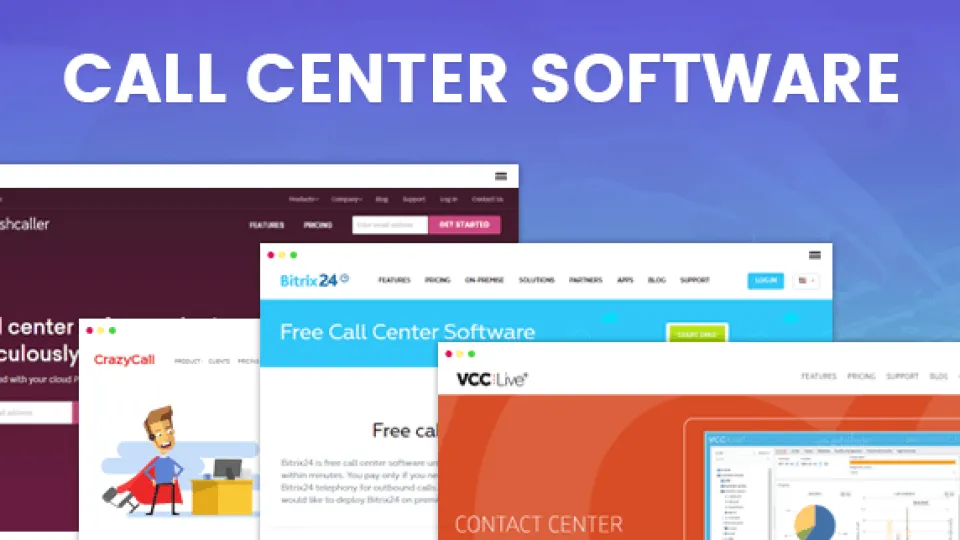 Pick Talkdesk or Genesys Cloud CX if you run a contact center of 50 or more agents across voice and digital channels;…
The best HR software of 2026
BambooHR is the HR system most small and midsize companies should look at first; companies with 25 or fewer employees…
About the editorial team
Sources we checked 15
- deputy.com/pricing for Deputy plans, yearly and monthly USD prices (structured data), monthly minimum, add-ons, plan features checked November 4, 2026
- deputy.com for Deputy features (auto scheduling, demand forecasting, fair workweek compliance), platforms checked November 4, 2026
- connecteam.com/pricing for Connecteam Operations Hub prices, per-user fees, free plan, trial, GPS and geofencing by plan checked November 4, 2026
- joinhomebase.com/pricing for Homebase plans, yearly and monthly prices (structured data), free plan, trial, payroll and add-ons checked November 4, 2026
- wheniwork.com/pricing for When I Work plans, prices, features, trial checked November 4, 2026
- zoho.com/shifts/pricing.html for Zoho Shifts plans, features, free plan, trial, 10-user minimum checked November 4, 2026
- zoho.com/sites/zweb/json/pricing/shifts-pricing-val.json for Zoho Shifts USD prices loaded by the pricing page checked November 4, 2026
- assembled.com/pricing for Assembled WFM plans, per-agent prices, platform fee, vendor management add-on checked November 4, 2026
- assembled.com/integrations for Assembled help desk and phone integrations checked November 4, 2026
- calabrio.com for Redirects to Verint's workforce engagement page checked November 4, 2026
- verint.com/workforce-engagement for Calabrio merged with Verint; Calabrio Workforce Management and Verint Workforce Management positioning checked November 4, 2026
- workforcesoftware.com for ADP WorkForce Suite capabilities, industries, integrations, ADP branding checked November 4, 2026
- nice.com/products/workforce-engagement-management for NICE Workforce Management (considered; quote only) checked November 4, 2026
- ukg.com/products/ukg-pro-workforce-management for Attempted; returned HTTP 403 checked November 4, 2026
- quinyx.com/pricing for Quinyx modules, quote-only pricing (considered) checked November 4, 2026