
Wordze review (2026): researched SEO articles for $10 a month
Wordze is a good buy for bloggers, niche site owners and Shopify stores that publish SEO articles often and edit them before they go live. For $10 to $15 a month you get keyword research, competitor-based outlines, AI drafts, an on-page score and one-click publishing to WordPress or Shopify, with enough credits for about 300 articles a month by Wordze's estimate. The Team plan adds 100 users and 100 sites for $40, which suits small agencies. Skip it if you need a free trial, publishing to Webflow or Ghost, or backlink and rank tracking data, and expect to edit every draft yourself.
What we like
- Low price for the volume: Solo at $10 a month (yearly) covers about 300 articles of 1,500 words by Wordze's estimate
- Competitor-based outlines show you the headings of the top-ranking pages on one screen
- Publishes straight to self-hosted WordPress, WordPress.com and Shopify blogs
- Search Console data inside the editor makes refreshing old posts quick
- Team plan includes up to 100 users and 100 sites at no extra cost per seat
- You can ask for credits back on an article you rated one star
What could be better
- No free plan or trial; you rely on the 30-day refund instead
- No direct publishing to Webflow, Ghost, Wix or Squarespace
- You cannot choose the AI model, and Wordze does not name the ones it uses
- Solo is limited to one user and three sites
- Price of extra credits is not shown on the pricing page
- Some help desk articles lag behind recent features
What Wordze is today
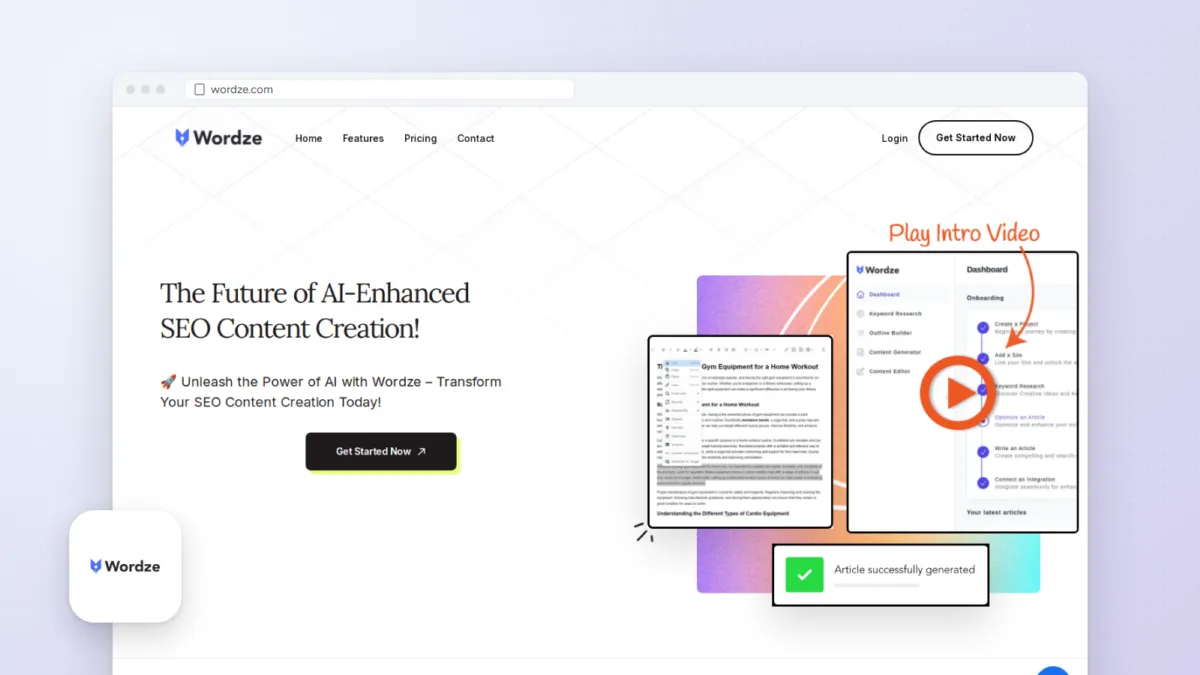
Wordze is a web app for writing SEO articles with AI. You start with a keyword or a topic, Wordze shows you search volumes and related phrases, builds an outline from the pages that already rank, drafts the article, scores it against those pages and then publishes it to your blog. The company behind it is SovereignNet LTD, which lists an address in Road Town, British Virgin Islands, in its terms of service.
The product has grown a lot since our last review in April 2024. Shopify and WordPress.com publishing arrived in November 2024. A tool that turns YouTube videos into articles followed in January 2025. Through 2025 Wordze added article types such as listicles, saved formatting rules, internal link suggestions, call-to-action blocks, a rewrite tool it calls the Humanizer, a new image model, keyword clusters, Google Docs export and automatic indexing requests to Google and Bing. The most recent product update we found is dated December 9, 2025.
The price is the headline. Solo costs $15 a month, or $10 a month if you pay $120 for the year. Wordze estimates that a Solo month covers about 300 articles of 1,500 words. Koala AI, the closest rival, charges $25 a month for 45,000 words, so Wordze is worth a close look if you publish often and edit your own work.
Setting up Wordze
There is no free plan or trial, so setup starts at checkout. Wordze sells through Paddle, which takes PayPal and the major cards, and every plan has a 30-day money-back guarantee.
Inside the app you create a project and add a site. The site type decides how publishing works:
- Self-hosted WordPress: you create an application password in your WordPress profile and paste it into Wordze. The help desk has step-by-step articles for this and for fixing a connection that fails.
- WordPress.com: you choose the WordPress.com site type and click Connect to WordPress.com.
- Shopify: you choose Shopify Store and paste a Shopify API access token into the site profile.
Google Search Console, Google Drive, Bing Webmaster Tools and Copyscape connect from the Integrations screen. Copyscape needs your own Copyscape API key, and Bing needs a Bing API key. You can also link YouTube channels to a site so their videos appear in the editor's Videos tab.
If your site runs on something else, such as Webflow, Ghost or Wix, you can still use Wordze, but you will download each article or copy and paste it. Budget a few minutes per post for that.
Research: topics, keywords and clusters
Wordze does a good share of the work before you write a word. The keyword tool has four search modes: keyword, question, long-tail and domain. Domain mode shows the keywords a competitor ranks for, which is often the fastest way to find gaps on a site you already run. Results include search volumes and trends, and you can save keywords into lists for later.
Since December 2025 the keyword results have a Clusters tab that groups suggestions by shared theme. If you plan content as a pillar page with supporting posts, this saves you sorting a spreadsheet by hand. The separate Topic Clusters view and the Article Topics tool (added in October 2025) work from a broader subject and suggest topics with their keywords and volumes attached.
Research uses credits, the same pool as writing. On Solo that pool is large enough that research costs are unlikely to matter, but heavy competitor digging on Team accounts with many users is worth watching in the detailed usage report under Billing.
Outlines and the article generator
The outline builder gives you two starting points. AI-generated outlines start from your keyword alone. Competitor-based outlines gather the headings of the top-ranking pages onto one screen so you can see what they cover, keep what matters and add what they missed. The competitor view is the more useful of the two, because it shows you the structure Google already rewards for that query before you commit to your own.
The generator then drafts around your primary and secondary keywords. You choose the article's length, readability, style, tone and point of view, and you can save a brand voice so every article on a site sounds alike. An article type drop-down, added in September 2025, changes the structure for formats such as a listicle, where you can set which product to feature, its rank and the number of items. Article rules (templates) let the account owner fix formatting choices, such as which heading levels appear in the table of contents.
Wordze writes in 42 languages. It says it uses several custom-trained, fine-tuned models built on open-source technology. It does not name them, and you cannot switch to GPT, Claude or Gemini. If model choice matters to you, that is a real limit.
If an article comes out badly, you can rate it one star, explain why and ask for the credits back. The team reviews each request and either approves it or explains why not, which takes some of the risk out of paying by credit.
Editing, scoring and the Humanizer
The content editor is where you turn a draft into something you would publish. It grades the article against the top-ranking pages and shows targets for word count, headings, paragraphs, bold text, images and links, with a yellow marker when you are close to a target but not there yet. The right sidebar lists suggested terms; you can add them yourself, let Wordze insert them with one click, or exclude terms that do not fit. Since December 2025 Wordze finds these terms with its own system instead of Google's NLP API.
A few smaller tools make editing faster. A Links panel lists every link in the article. You can add competitor URLs that Wordze should never use as references. You can also analyze reference articles and feed selected key mentions into the prompt, which helps when you want a draft to cover specific facts.
The Humanizer, added in October 2025, rewrites a whole article. One mode uses a set of AI agents to rephrase and refine the text. The other mode adds deliberate typos, misspellings and punctuation slips, and Wordze says it may help get past AI detectors, without a guarantee. We would leave that second mode alone for anything published under your name: readers notice the errors, and a page full of typos looks careless whatever a detector says. The rephrasing mode is worth a try on stiff paragraphs, followed by your own edit.
Images, video and calls to action
Wordze generates images inside the editor. In October 2025 it replaced its earlier image model, which had been discontinued, at no extra cost. A stars icon in the prompt field writes five prompt ideas from your article, and you can give it a JPEG, PNG or WEBP link as a style reference. Solo's credits cover about 400 images a month by Wordze's estimate, though images and articles share the same pool.
Video to Content turns a YouTube video into an article. You paste the link, add a keyword, and choose whether to include screenshots, embed the video or add an audio player made from its soundtrack. For anyone who already publishes videos, this is a quick way to get a written version of each one onto the blog.
Calls to action live in the Sites section. You write them once per site and drop them into any article from the editor's Sections tab, which keeps sign-up boxes or product plugs consistent across posts.
Publishing, Search Console and internal links
When an article is ready you publish it to the connected WordPress site or Shopify blog, send it to Google Docs, share it by email, or download it as TXT, PDF or HTML. Wordze can then submit the new URL to Google and Bing for indexing and send your sitemap to Search Console.
The Search Console connection is the part we would use most on an established site. It brings clicks, queries and ranking pages into Wordze, so you can find posts that are slipping and rework them in the same editor you write with. Wordze also syncs links from your sites and Search Console in the background, and the editor uses them to suggest internal links for each article.
Copyscape checks an article for duplicate content before you publish, if you have a Copyscape key. That is a sensible step for any AI draft.
Pricing and what a credit buys
Wordze has two plans, checked on November 4, 2026:
| Plan | Monthly | Yearly | Credits a month | Users | Projects and sites |
|---|---|---|---|---|---|
| Solo | $15 | $120 ($10 a month) | 250,000 | 1 | 3 |
| Team | $40 | $360 ($30 a month) | 1,000,000 | 100 | 100 |
Both plans include every tool. Credits pay for research, editor AI, articles and images. Wordze's own estimate is about 300 articles of 1,500 words on Solo and about 1,200 on Team, which works out to roughly three to five cents an article if you used the whole allowance. You can buy extra credits that never expire and roll over while you stay subscribed; the pricing page does not list their price.
You can change plans at any time, with upgrades charged pro rata, and cancel at any time. To switch from monthly to yearly billing you ask support for a special link.
Our 2024 review called $15 a discount from a regular $30 and mentioned a FOUNDERS coupon for a further 50% off. Today's pricing page shows $15 and $40 with no crossed-out price and no coupon, so treat those as the prices you will pay.
Team is the better deal per user by a wide margin. If you run more than three sites or work with even one other writer, Team at $30 a month on yearly billing gives you 100 seats and four times the credits for $20 a month more than Solo.
Support, security and refunds
Support runs through a help desk with ticket, chat and email options, plus a contact form. Office hours are Monday to Friday, 8:00 am to 6:00 pm GMT+1, and Wordze says it normally replies within 24 business hours. The knowledge base has seven categories, from getting started to billing, with setup guides for each integration. Some articles lag the product: one still says Wordze only connects to WordPress, although Shopify publishing has worked since November 2024.
On security, Wordze lists SSL, Sucuri website security, optional two-factor sign-in and database encryption. Its terms say you keep ownership of what you write, and Wordze processes your content only to run the service.
Refunds are straightforward. You open a help desk ticket within 30 days of buying and get a full refund to your original payment method. Customers in the EU and UK also have the usual 14-day right to withdraw.
Wordze compared with Koala AI and Surfer
Koala AI is the closest match. It also writes SEO articles from a keyword and publishes them, and it reaches more platforms: its Starter plan lists WordPress, Shopify, Webflow, Ghost and webhooks. Koala gives every new account 5,000 free words, so you can try it without paying. The trade-off is volume. Koala Starter costs $25 a month for 45,000 words. Wordze Solo costs $15 for an estimated 450,000 words (300 articles of 1,500). Choose Koala if you need Webflow or Ghost or want to test first; choose Wordze if you publish a lot to WordPress or Shopify and want keyword research and Search Console in the same app.
Surfer is the better-known name for on-page content scoring, and its plans now include AI search analytics. It costs much more. When we checked, Surfer's pricing page showed its entry Discovery plan at €49 a month billed yearly for 120 documents, with euro prices only. Choose Surfer if your team already works to its content score or you need AI search reporting. Choose Wordze if you want a scoring editor, drafting and publishing for a fraction of the cost.
If you need rank tracking, backlink checks and site audits more than drafting, SERPed covers those with more than 40 SEO tools, and pairs well with a writing tool such as Wordze.
Pricing and value
Solo: $15 a month or $120 a year ($10 a month), 1 user, 3 projects and sites, 250,000 credits a month. Team: $40 a month or $360 a year ($30 a month), up to 100 users, 100 projects and sites, 1,000,000 credits a month. No free plan or trial; 30-day money-back guarantee on both. Prices checked November 4, 2026.
Who should buy it
- Bloggers and niche site owners who publish several articles a week and want research, drafting and publishing in one app.
- Shopify store owners who want to grow their store's blog without hiring a writer for every post.
- Small agencies and content teams that manage many client sites and need 100 seats for $40 a month.
- Site owners with years of posts who want to use Search Console data to decide which ones to update first.
Who should skip it
- Anyone who wants to test for free before paying, since only a 30-day refund is on offer.
- Sites on Webflow, Ghost, Wix or Squarespace, where every article means a copy and paste.
- SEO teams that need backlink audits, rank tracking or technical crawls in the same tool.
- Writers who want to choose a specific AI model or publish drafts with little editing.
Questions people ask
Is Wordze worth it?
For people who publish often to WordPress or Shopify, yes. Solo costs $10 a month on yearly billing and covers about 300 articles of 1,500 words by Wordze's estimate, along with keyword research and an on-page editor. Plan to edit each draft before you publish it.
Does Wordze have a free trial?
No. Wordze offers no free plan or trial. Both plans come with a 30-day money-back guarantee, and you request a refund through the help desk.
Is the Wordze FOUNDERS coupon still valid?
We could not confirm it. A help article last updated in 2024 mentions a FOUNDERS code for 50% off, but the pricing page on November 4, 2026 showed no coupon and listed $15 and $40 as the monthly prices.
Can Wordze publish to sites other than WordPress?
Yes, to Shopify blogs as well as self-hosted WordPress and WordPress.com. For any other platform you download the article as TXT, PDF or HTML, send it to Google Docs, or copy and paste it.
Which AI does Wordze use?
Wordze uses several custom-trained, fine-tuned models built on open-source technology. It does not name them, and you cannot pick a different model.
Can AI-written articles from Wordze rank on Google?
They can if they answer the search well. Wordze gives you the structure and terms that top pages use, but the drafts still need your facts, examples and edits. Publishing unedited drafts at volume is the risky way to use any AI writer.
Related reading



About the editorial team
Mutuo MbillaContributing writer
Wrote 127 articles and 113 product listings for Woofresh between 2016 and 2025.
Sources we checked 21
- wordze.com/pricing for plans, monthly and yearly prices, credits, users, projects and sites, no free plan or trial, 30-day refund, plan changes, 42 languages, content ownership, security checked November 4, 2026
- wordze.com for product description, feature list, integrations (WordPress, Shopify, Search Console, Copyscape), money-back guarantee, payment through Paddle with PayPal and cards checked November 4, 2026
- wordze.com/features for topic research, keyword research, outline builder, content generator, optimization and editor features, export formats, email sharing checked November 4, 2026
- wordze.com/shopify for publishing to Shopify blogs checked November 4, 2026
- wordze.com/contact for office hours and reply times checked November 4, 2026
- iubenda.com/terms-and-conditions/20125228 for legal company name and address, refund terms, last terms update checked November 4, 2026
- wordze.com/product-updates for update history from November 2024 to December 2025 checked November 4, 2026
- wordze.com/product-updates/fall-2024-update for Shopify and WordPress.com publishing, credit refunds for poor articles, excluded terms checked November 4, 2026
- wordze.com/product-updates/wordze-winter-2024-2025-update for Video to Content tool checked November 4, 2026
- wordze.com/product-updates/wordze-summer-2025-update for article types, article rules templates, YouTube channels, table of contents options checked November 4, 2026
- wordze.com/product-updates/wordze-fall-2025-update for Article Topics, CTAs, Humanizer, listicles, internal link auto-sync, competitor exclusion, usage report checked November 4, 2026
- wordze.com/product-updates/wordze-ai-image-generation for new image model, prompt suggestions, reference images checked November 4, 2026
- wordze.com/product-updates/wordze-winter-2025-2026-update for keyword clusters, Google Docs export, sitemap and URL submission, Bing Webmaster Tools, low-credit alerts, own NLP term system checked November 4, 2026
- help.wordze.com for help desk categories, chat and email support checked November 4, 2026
- help.wordze.com/en/category/integrations-1j1b8c5 for integration setup articles checked November 4, 2026
- help.wordze.com/en/article/what-ai-model-does-wordze-use-1f5fr7z for AI models checked November 4, 2026
- help.wordze.com/en/article/are-there-any-special-promotions-or-discount-offers-14xppwj for launch and FOUNDERS discounts (article last updated 2024) checked November 4, 2026
- help.wordze.com/en/article/can-i-connect-to-a-site-that-is-not-wordpress-q0w4it for copy and paste or download for other site builders checked November 4, 2026
- koala.sh/pricing for Koala AI comparison: plans, words, free words, publishing integrations checked November 4, 2026
- surfer.ai/pricing for Surfer comparison: entry plan price and documents checked November 4, 2026
- serped.net for SERPed alternative: tool categories checked November 4, 2026